
Personalize and Stand Out with Your GitHub README


Elevating Your Developer Persona: Crafting a Standout GitHub Profile
Today, we are going to dive into a crucial but often underestimated aspect of our lives as developers: our GitHub profile! Think of it as the storefront of your digital home. You want it to look inviting and showcase the best of you, right? Of course you do! A well-polished profile not only catches people’s attention but can also open doors in your professional career.
So, let’s get to work!
Why is it important to have a good GitHub profile?
Before jumping into the technical details, let’s reflect a bit on the “why.” A GitHub profile is more than just a place to store your code. It is your business card in the world of development and technology.
- Job opportunities:
Many recruiters check GitHub profiles to get a better understanding of candidates’ skills and experience. - Collaboration:
An attractive profile can draw other developers in to collaborate on your projects. - Personal growth:
Documenting your progress and reflecting on your code helps you improve as a developer.
Creating your custom README
1. Initialize your README
Every GitHub profile can be enhanced with a README.md file that automatically appears on your profile page. To start, simply create a new repository with the exact same name as your GitHub username and check the option “Initialize this repository with a README”.
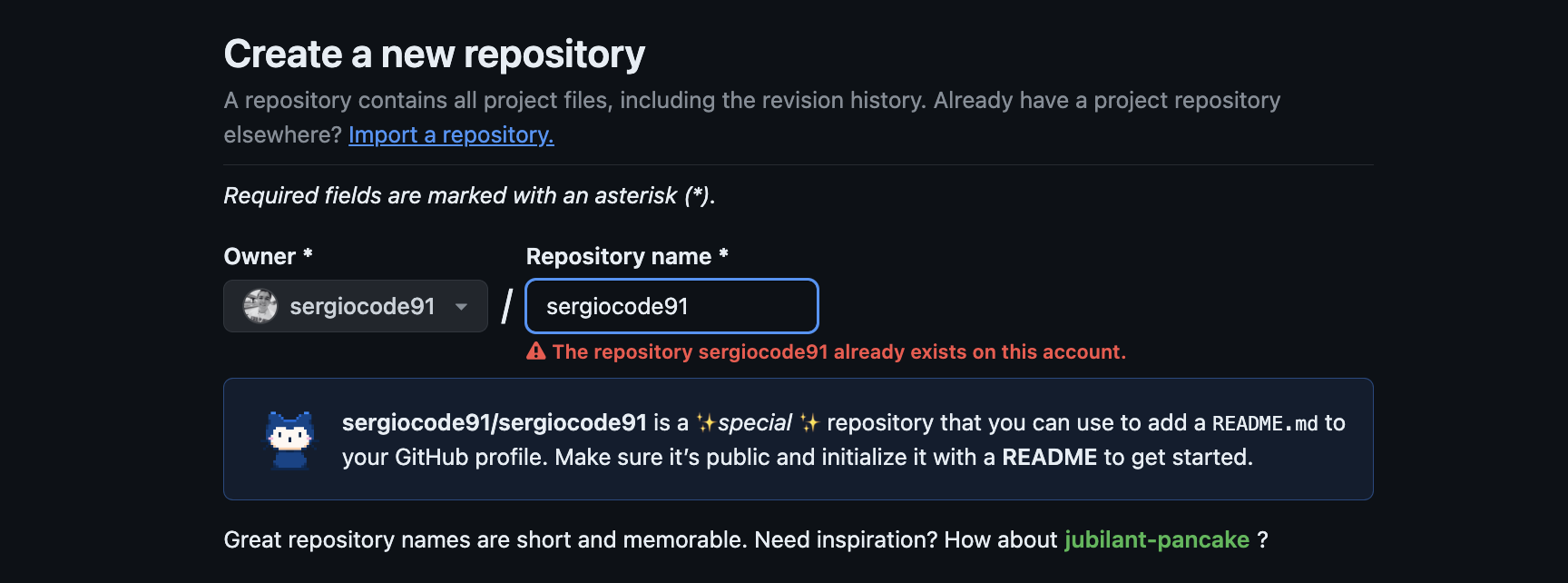
Note: The error shown in the image is because the repository has already been initialized with the same username, but in your case, you shouldn’t have any issues.
2. Make it personal
This is where you can let your creativity fly. Think of your README as the cover of a book about you. What should it include?
- A brief introduction to who you are and what you do.
- Your favorite technologies and tools.
- Featured projects with links to their repositories.
- How other developers can reach out to you.
3. Add visual elements
Visuals can make your profile stand out and feel much more welcoming.
- Images and GIFs: Did you work on something visual? Show it off with a screenshot or a GIF.
- Emojis: Adding emojis can make your text more engaging and approachable.
4. Use badges and statistics
Badges and stats can add a professional touch and offer a quick overview of your skills and activity.
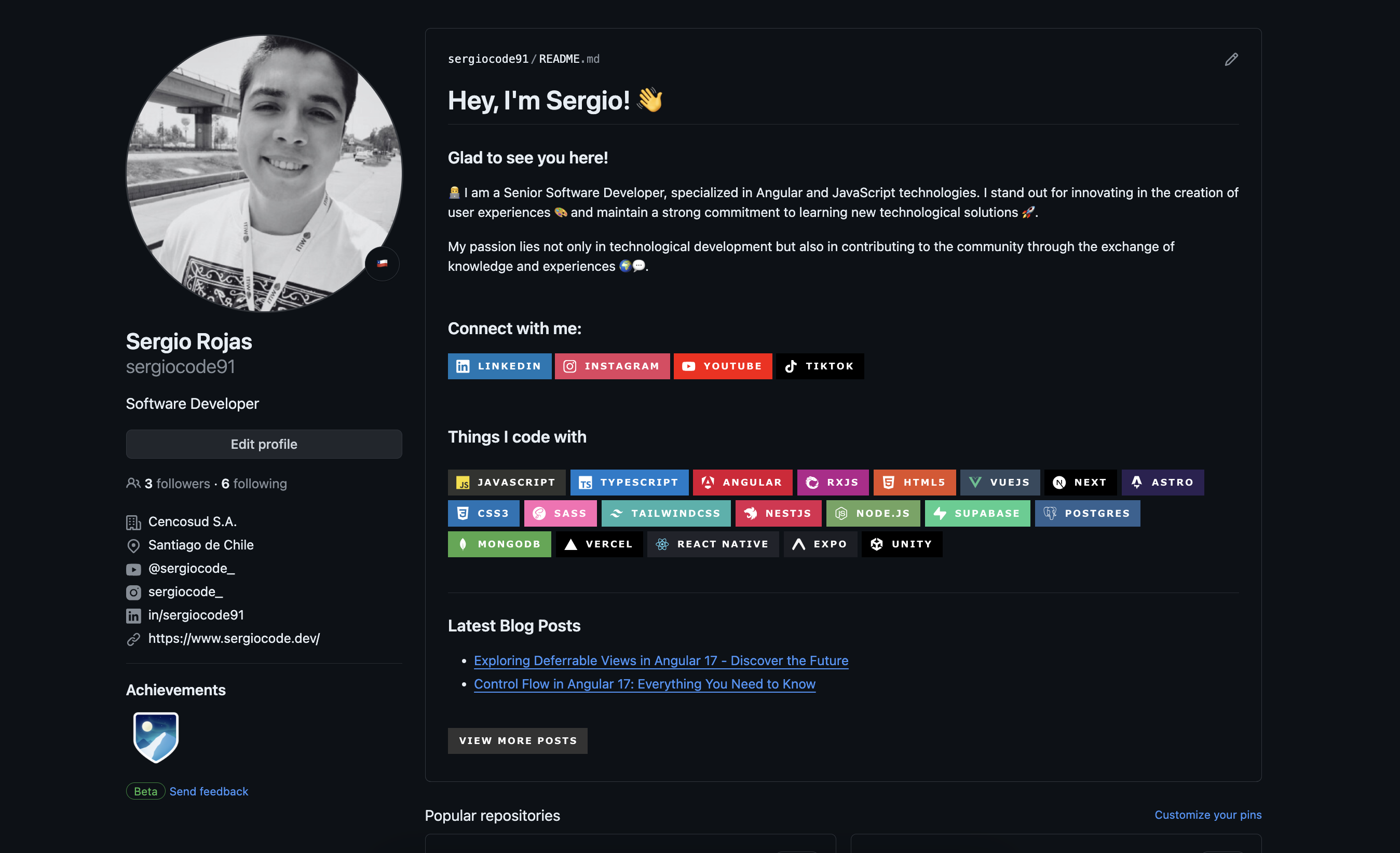
- Technology badges: Showcase the tools and languages you excel at. You can find a wide variety of badges for your profile at the following link: Get GitHub badges. These badges allow you to elegantly display the technologies you use in your projects.
- GitHub stats: There are tools available that allow you to display stats such as your most used languages or your commit activity: Get GitHub Stats.
Inspiring examples
Don’t hesitate to look for inspiration in other developers’ profiles. See what others are doing, mix ideas, and find your own style.
Wrapping up
Your GitHub profile is a living platform that reflects your personality as a developer. Take some time to make it personal, informative, and, above all, unique! I hope this post has inspired you to give your profile a special touch and to see it not just as a code repository, but as your own personal work of art.